Chamberlain D2101C Specs, Benefits and Manual

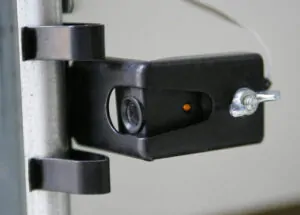
Chamberlain D2101C is a great model that provides reliable and smooth operation for customers. The motor is 1/2 horsepower and comes with safety sensors and other features
This model has an MSRP for Chamberlain of $279.99. The model features:
- Smartphone control: Control, secure and monitor the garage with the myQ app- anytime, from anywhere.
- Drive Type: Long-lasting chain drive.
- Next-generation garage technology: Improved Wi-Fi® connectivity and enhanced memory to support new myQ features and solutions.
Specifications
| Lighting | standard | GDO Learn Button Color Compatibility (Learn Button Color ) | Yellow | ||
| Drive Type | Chain | Motor Power | 1/2 HP | ||
| AC / DC | DC | Battery Backup | No | ||
| Motion-Detection Light Activation | Yes | Soft Start / Stop | Yes |
Why choose chain drive
Chain drive garage door openers offer a budget-friendly solution without sacrificing performance. They are particularly suited for heavy doors due to their robust and reliable mechanism. If you own a large garage door, a Chamberlain chain drive opener provides the necessary power to operate it efficiently.
While they may generate more noise compared to belt drive systems, chain drive openers are built to endure rigorous use, making them an excellent choice for detached garages or for those who prioritize durability. Their strong metal chain design ensures a long lifespan, capable of handling daily wear and tear. Choosing a Chamberlain chain drive opener means opting for a powerful, dependable system.
How to program travel limits on a D2101C
You can check through the manual on Chamberlain website.
Setting travel limits on your Chamberlain garage door opener ensures safe and efficient functionality. Here’s how to do it:
1. Locate the travel limit dials on the side or rear flap of the motor unit.
2. Begin with the door closed. Press and hold the ‘Up’ button until the door reaches the desired open position, then release.
3. After the desire position, press the black button to set the limit and start the down position.
4. Next, press and hold the ‘Down’ button until the door reaches the desired closed position, then release.
5. Press the black button to set the limit. In the new models, just wait until you hear 10 clicks and the door will open and close automatically to set the force. Make sure that nothing passes through the sensors during the force learning phase.
6. Test the door to ensure it opens and closes correctly.
If you face issues, check for obstructions, ensure sensors are aligned, and confirm the motor functions correctly. For persistent problems, consult the user manual or contact Chamberlain support. Properly programmed travel limits help maintain the safe and efficient operation of your garage door opener.

Why Chamberlain
Among the numerous options available, Chamberlain garage door openers stand out due to their innovative features and reliability. Whether you are considering an upgrade or installing a new system, understanding the various types of garage door openers and their specific advantages can help you make an informed decision. In this post, we will explore the top features of Chamberlain garage door openers, focusing on belt drive, chain drive, and wall-mounted models. Additionally, we’ll provide a guide on how to program a travel limit for these devices, ensuring optimal performance and safety.
If you need more information on chamberlain garage door opener troubleshooting, check our blog or contact Motion Garage Doors at (437) 873-1407.